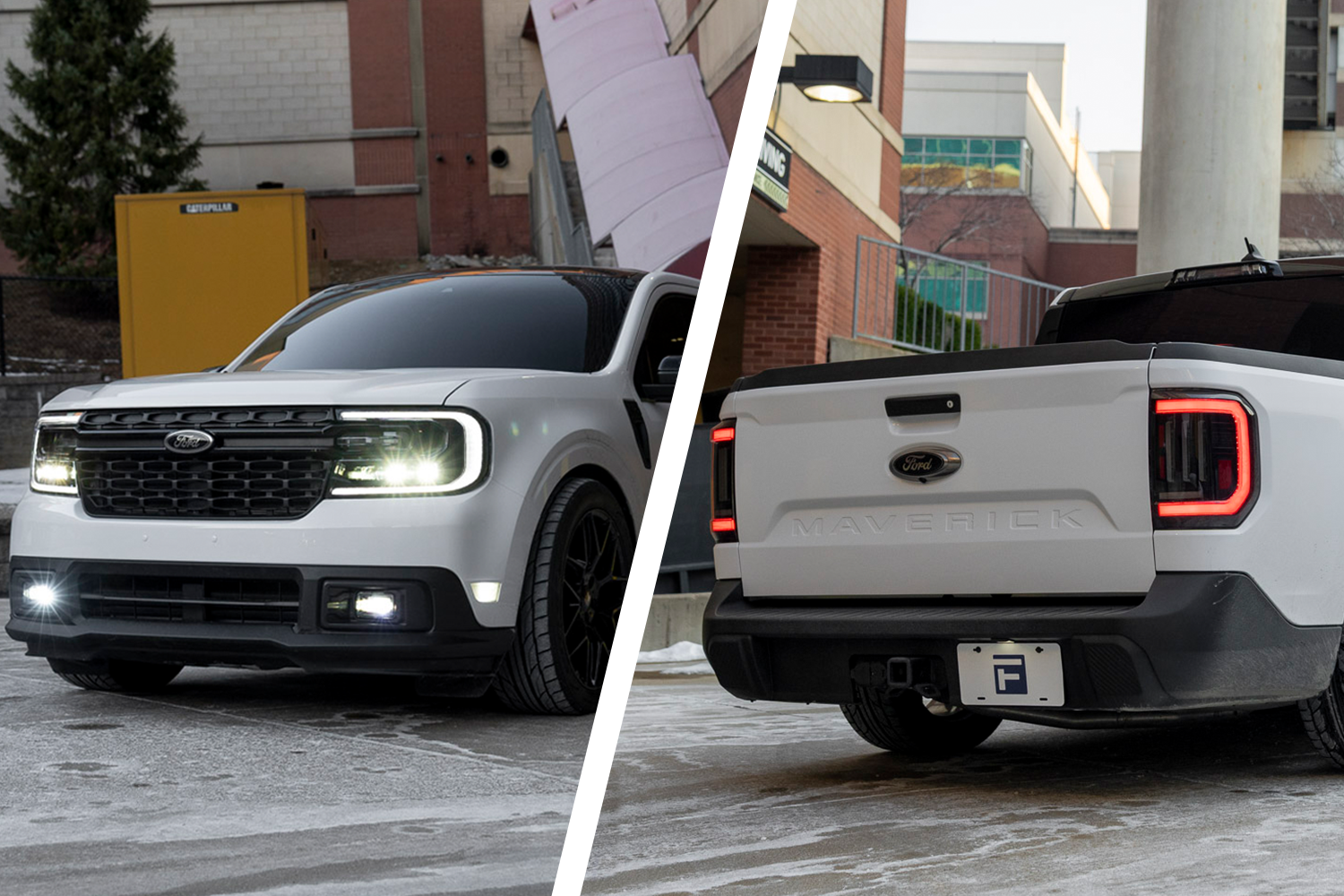
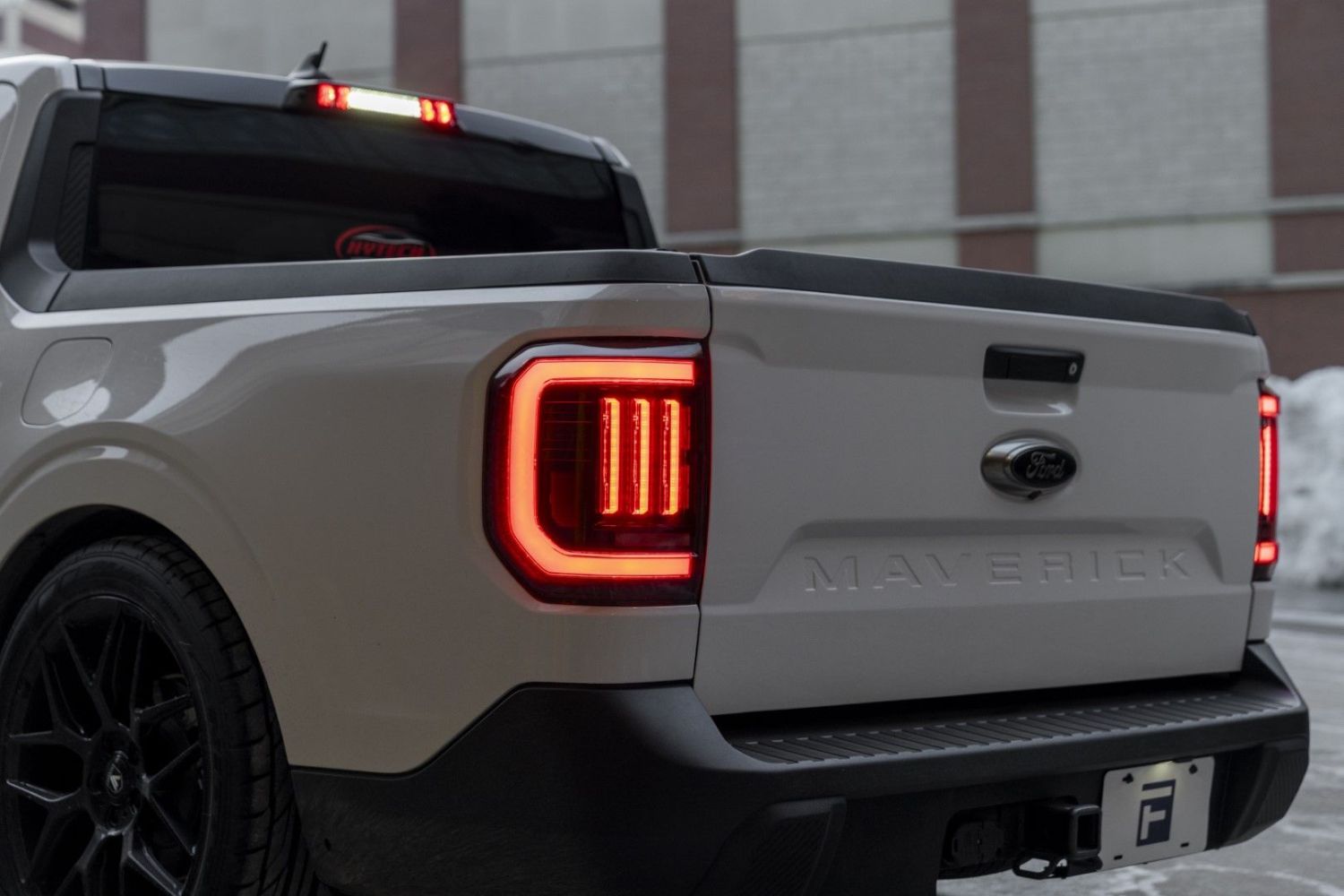
The 2022-2024 Ford Maverick LED Tail Lights and 2025-2026 Ford Maverick LED Tail Lights add modern LED styling and improved visibility for a bold rear-end upgrade. This installation guide will provide you with detailed instructions on how to install either set. Watch our installation video or continue reading below for detailed instructions!
2025-2026 Models: These models require the included inline harness between each FORM tail light and the factory vehicle connector. See Step 8 below.
Table of Contents
- Installation Tools
- Installation Video
- Installation Instructions
- Questions About the Installation?
- Where Can I Buy the Ford Maverick LED Tail Lights?
Installation Tools
- 8mm socket
- 7mm socket
- Ratchet
- Extension
- Flathead screwdriver
Installation Video
Installation Instructions
Step 1 - Open Tailgate
Open the tailgate to gain access to the tail light mounting area and hardware.
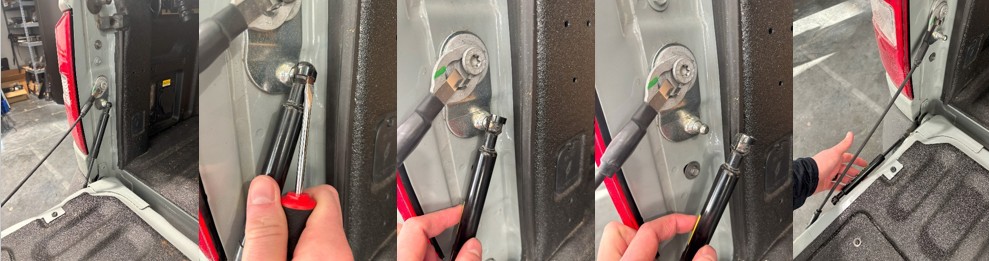
Step 2 - Unclip Tailgate Assist Strut (If Equipped)
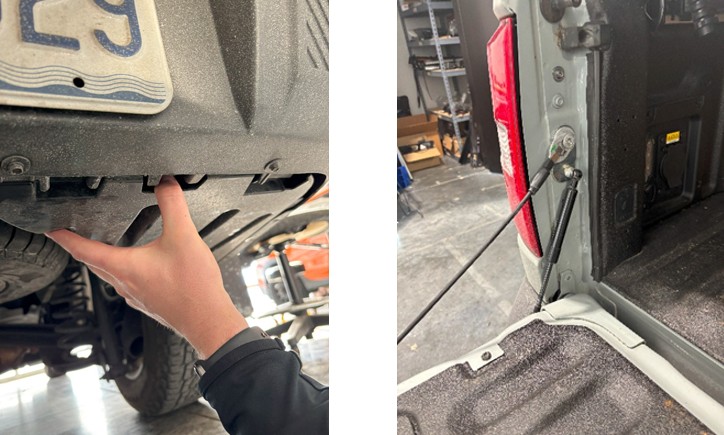
If your vehicle is equipped with a tailgate assist strut, use a flathead screwdriver to push the retaining clip upward from the bottom until it rests at the top of the strut. Carefully pull the strut away from the ball socket to release it, then lower the strut to access the mounting bolts.
Step 3 - Remove Tail Light Mounting Bolts
Using an 8mm socket and ratchet, remove the two 8mm bolts securing the tail light assembly to the vehicle.
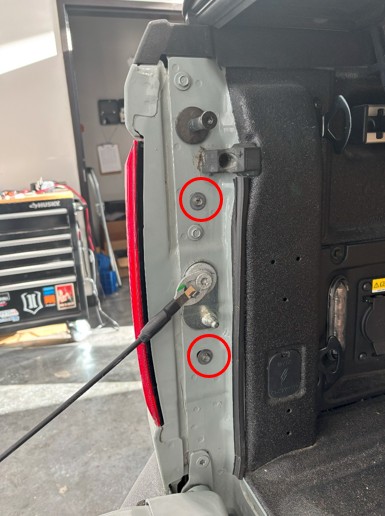
Step 4 - Remove Factory Tail Lights
Pull outward from the inside edge of the tail light to release the ball stud clips. Once loosened, depress the locking tab on the vehicle harness and unplug the factory tail light. Repeat this process on the opposite side to remove the second tail light.
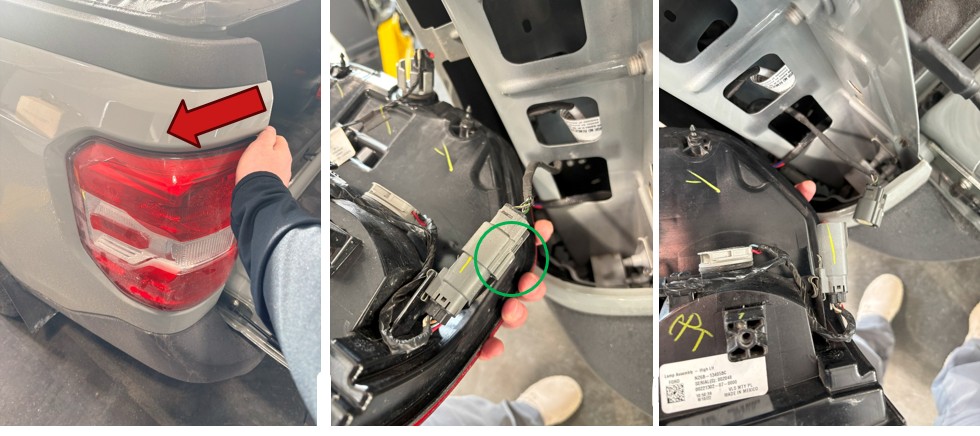
Step 5 - Remove Passenger-Side Splash Shield
From underneath the passenger side of the vehicle, use a 7mm socket, ratchet, and extension to remove the eight 7mm bolts securing the splash shield. Push the splash shield toward the front of the vehicle to release it, allowing it to hang down for wire routing access.
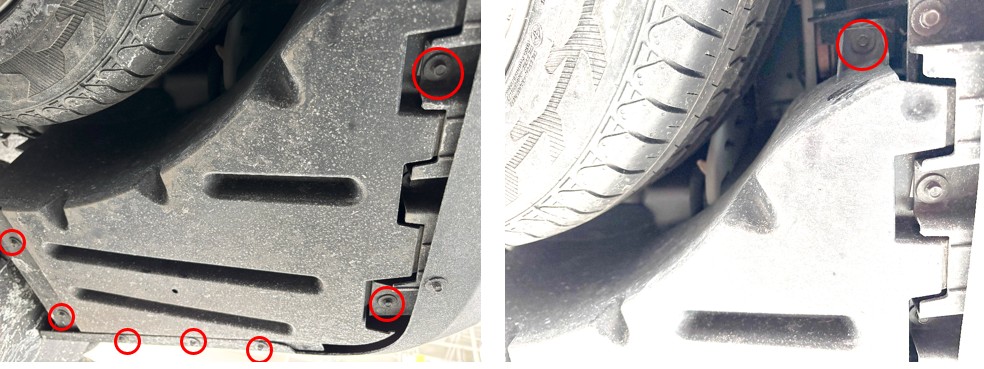
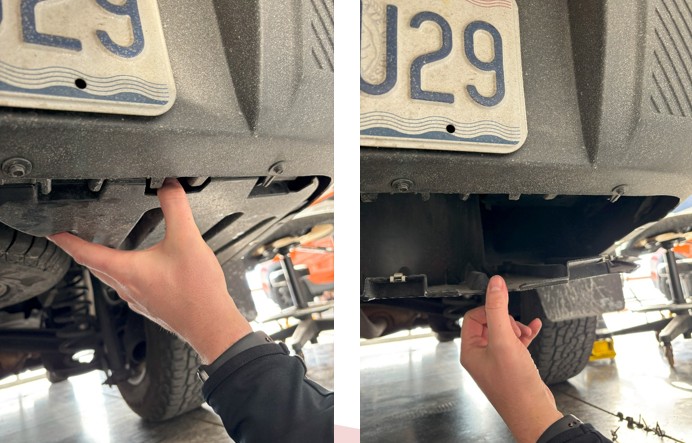
Step 6 - Route Tail-to-Tail Harness
Feed one end of the included tail-to-tail harness through the passenger-side lower cavity. Route the harness along the painted frame above the spare tire, over the trailer light harness, and across to the driver’s side. Ensure the harness is routed above the exhaust hanger to keep it away from heat sources. Pull the connector up through the driver-side taillight cavity and tuck it securely into the mounting hole so it does not fall back underneath the vehicle.
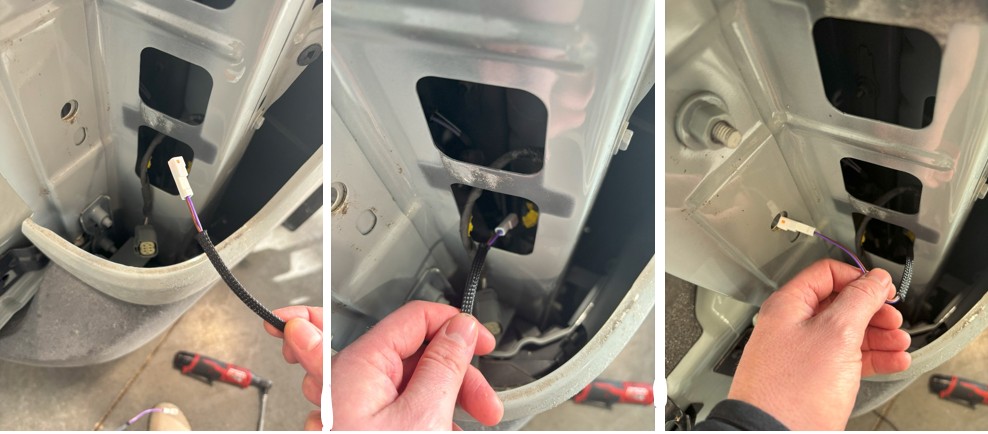
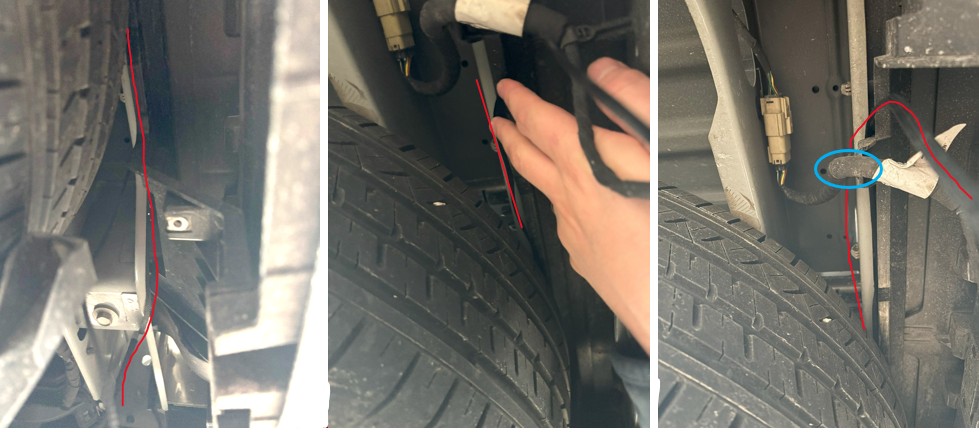
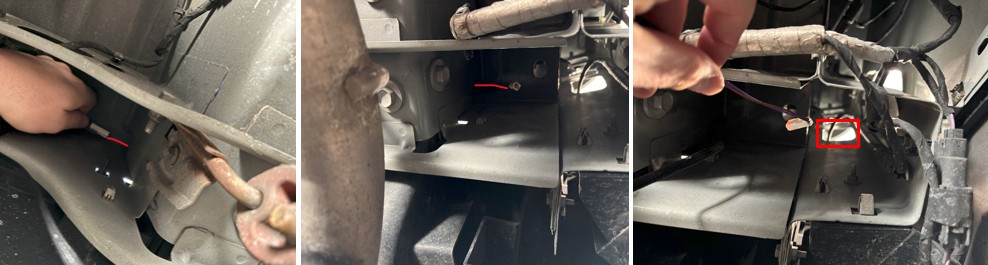
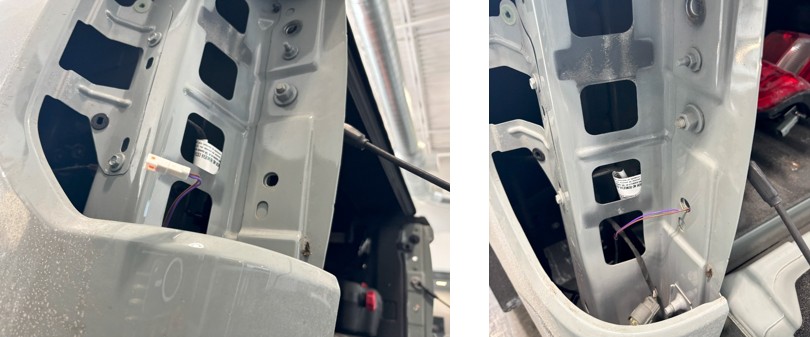
Step 7 - Install Load Resistors
Mount the included resistors to the vehicle body below each tail light cavity using the integrated magnet mounts. Make sure they are secured to a metal surface away from plastic components.
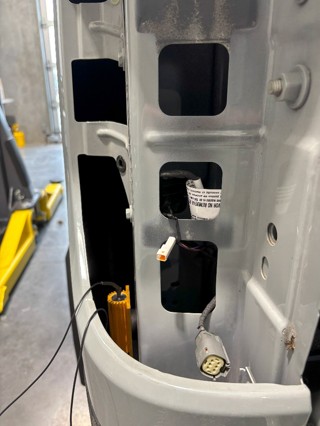
Step 8 - Install New LED Tail Lights
2022-2024 Models: Plug the new tail light directly into the factory vehicle connector.
2025-2026 Models: Connect the included inline harness between the new FORM tail light and the factory vehicle connector. Repeat this connection on the opposite side.
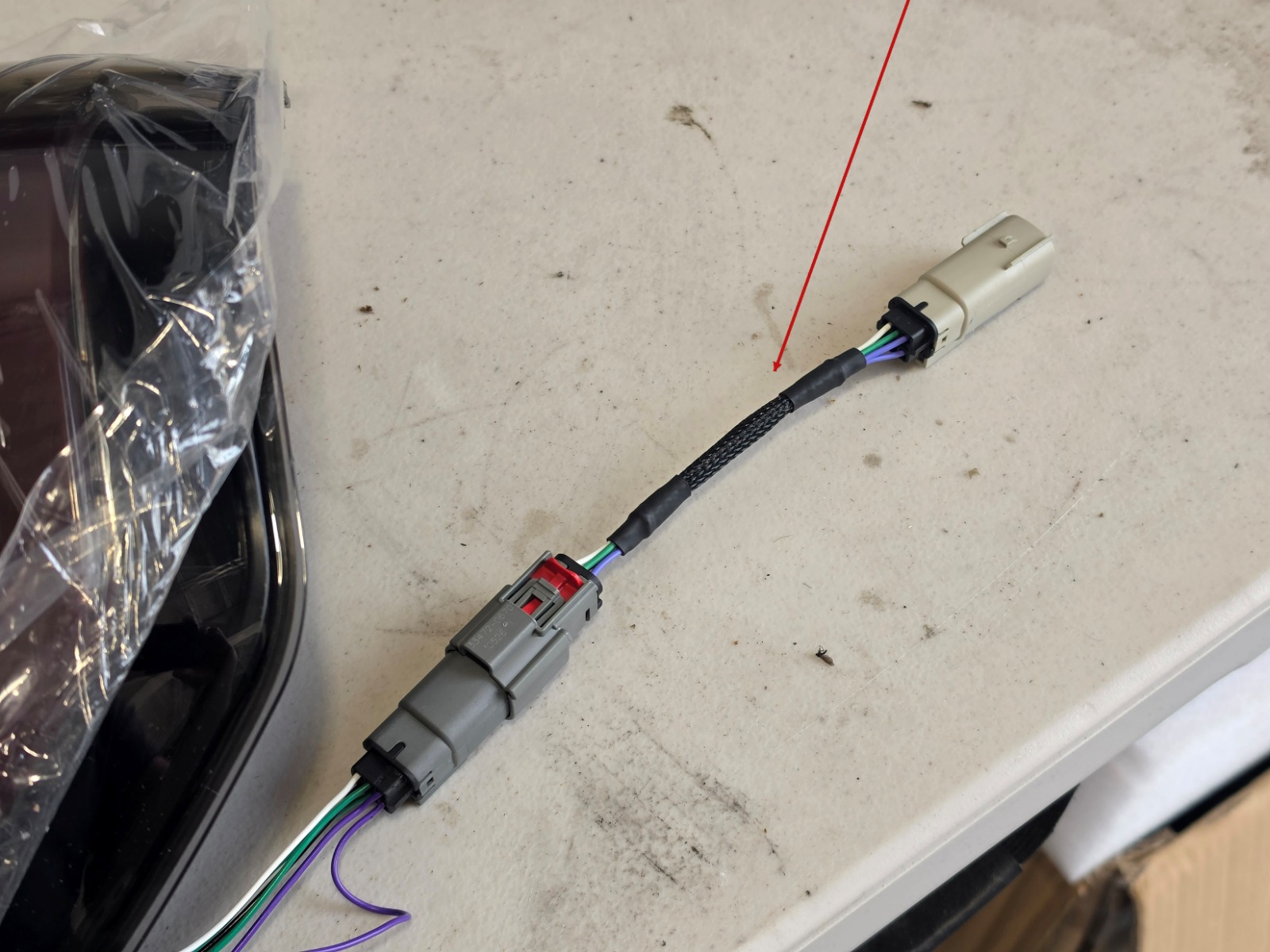
For both model-year ranges, connect the tail-to-tail harness to the white connector on the lamp. Connect the resistor, then carefully tuck the factory connector back into the cavity. Reinstall the tail light using the original hardware removed earlier. Repeat this process on the opposite side. Test all lighting functions before proceeding.
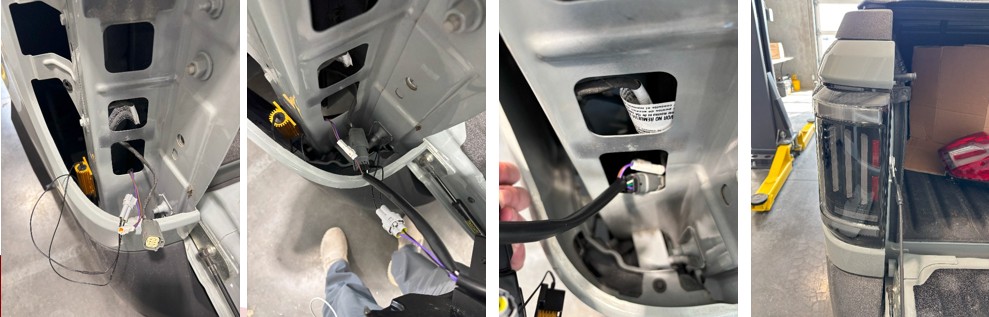
Step 9 - Reinstall Splash Shield and Tailgate Assist
Reinstall the splash shield by reversing the removal steps and secure it with the original 7mm bolts. If equipped, reattach the tailgate assist strut and ensure the retaining clip is properly seated.
Step 10 - Final Check
Confirm all hardware is tightened and all lighting functions operate correctly.
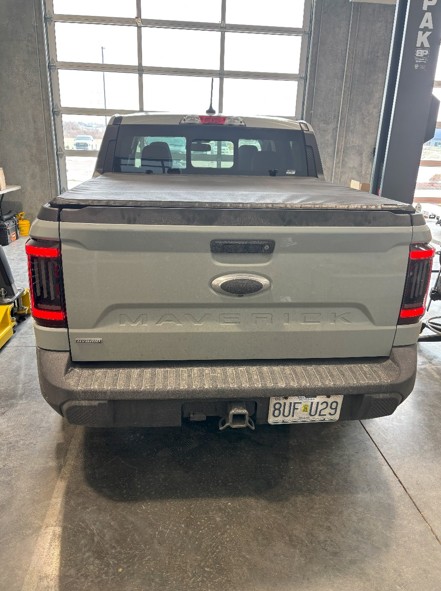
The installation is now complete. Enjoy your new 2022-2024 Ford Maverick LED Tail Lights or 2025-2026 Ford Maverick LED Tail Lights!
Questions About the Installation?
If you have any questions about installing the 2022-2024 Ford Maverick LED Tail Lights or 2025-2026 Ford Maverick LED Tail Lights, contact us via our support page.
Where Can I Buy the Ford Maverick LED Tail Lights?
Choose the listing that matches your vehicle’s model year:
Want to know more about FORM Lighting products? Visit FORMLights.com and explore our latest vehicle-specific lighting upgrades.
This Installation Guide is for the following SKU: FL0096, FL0097, FL0113, FL0114